skip to main |
skip to sidebar



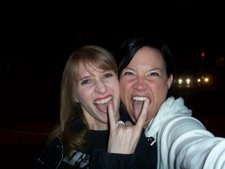
Penni, with Friend and wedding ring

lmms -open source non-pirated studio apps for all mankind

just trying to hold it together
Moving, Rotating, and Scaling without Keystrokes - 4/18/2009
Pimp your Blender - 4/18/2009
Quick and Easy 360-degree Turntable Camera Setup - 4/20/09
How to Animate a Cylinder along a Curve (5/17/2009)
Creating a Text Outline Effect in Blender (skip!)
Modeling the Blender 3D Logo (5/18/09)
Uniform Distribution of Objects along a Path (5/25/09)
part 1: create workspace
add camera on the Y axis
edit button > camera tab > Othrographic = on and passepartout = half dark
add plane in camera view and resize it to viewing area of the camera, the plain is used at a title story board. extrude a corner as a handle
name the storie board in the "links and Materials" tab, named it "titling board"
sent the material for the board to invisible by setting material tab > Env = off.
verify that the lamp is on the correct side of the plane
set world background to black
Rename the screen from SR:2-Model to SR-VidSeq1
set it up like this:
--------------------------------------------
Vid Seq Editor. |. . . . . . . . |
--------------------------| 3D view |
TimeLine . . . . |. . . . . . . |
--------------------------------------------
buttons Window. . . . . . . . |
-------------------------------------------
and set another called SR-VidSeq2
---------------------------------------------------------
Vid Seq Editor |VidSeq>ImgPview |
------------------------| ----------------------------- |
. . . . TimeLine | . . . . . . . . 3D view |
---------------------------------------------------------
buttons Window. . . . . . . . . . . . . . . |
---------------------------------------------------------
Use controlKey + LeftArrow or RightArrow to switch between these views.
add video clip with vidSeq > Add > Movie. select an .avi file
add the scene vidSeq > Add > Scene. click in the window to 'root' the scene there.
See bgryderclock blendernation forum post for details
spacebar > add > text
switch to edit mode to edit the text
name the text material white and enable Ztransp to made the text transparent-able.
enable Shadeless
On the shader Tab:
set hardness and spec to 0
set Emit to max
make sure the text is between the screen and camers (duh!)
use control+P to parent the text to the board
Select all the materials and use Cntrl+L to link materials
select the movie clips then the scene (together) and select > Add > Effect > Alpha Over to make generate combined track.
In the render menu enable "Do Sequence" to preview the combined track
Part 2: Animate the titles
open an IPO curve window.
select the board, set a loc keyframe on the first frame
move the board up and set new loc keys to animate the move.
select the curve and then select curve > interpolate > linear to make the changes "fast" / linear
use the K key (Key Mode) in the IPO window hi-light the verticle keyframe marker and slide them.
animate the material alpha
go to another window and switch to the "IPO-Material" view to animate the material alpha.
Select the push-pin icon on the IPO window to keep the window static
go to the first frame change the alpha value of the text and press the "i" key to insert a Alpha key.
go to insert another frame, change the transparency and insert key with the "i" key... and repeat!
How to Create Glint Effects in Blender (06/16/09)
Christmas Gift Boxes and Bow (06/19/09)
use cubes with rounded edged. cut them with loop selections and scale them into boxes and box tops.
create and crop a ban in to a ribbon loops and copy them in to a bow. add a inner sphere to make it look solid.
Gen3 Tree-Making Tool (06/20/09)
source file = http://www.geocities.com/bgen3/
the zip files include gen3.py and gt folder...
1. Open your blender directory --->.blender--->scripts
- copy the gen3.py script inside the script directory
- gt folder goes to bpymodules folder inside the script directory
then update your scripts...
the script appears under script > misc > Gen3
just use the presets for good looking trees!
Oven-Baked Pretzels series
Part 1 - create a draft enviorment
use a picture of the prentzel as a background / reference image for colors, lighting, and textures
build a box and a ramp in right side view. if you use the B key for box selection both point of the line will be selected
Tip: go to camera mode, select the camera border, press G Key, then Z key twice, and move the mouse to zoom the "dolly" in and out.
Tip: use the the group of buttons on the 3D panel (with the pointing hand) to enable a 3D scale, move, rotate tool
Part 2 - basic 3D pretzel mesh
add a bezier curve of layer 2vand a bezier circle on layer 2
rename the circle to "cc"
in the object props for the curve, enable the 3D button and type "cc" bev obj field, now the line is a tube.
IMPORTANT: make sure you have 3D button enabled, else there will me issues editing the "pretzel twist" verts.
extrude the tube with the e key, select all verts and press Shift+H to automatically rotate vert to smooth out the tube,repeat to create the pretzel shape.
select a vert and use Alt+S to fatten parts of the pretzel.
in object mode use Alt+C to convert the fancy curve to a mesh.
use set smooth to smooth the faces.
Part 3 - sculpt and details.
from object mode select Sculpt mode
press the N key to show the properties mode
use Ctrl+tab to select the sculptig brush type,
and use Shift+F to adjust the tool strength.
and just the F key to adjust the tool size
Set all the brush buttons in the Sculpt properties to "Airbrush"
Use Ctrl+tab to switch from grap and smooth mode to change the mesh shape.
Use shift+(the tool) to reverse the tool's effect.
hint: To move the camera around in the camera view select the camera border and press the G-key and drag the camera around.
apply a rough material color
Part 4
press ctrl+NUMPAD7 for bottom view
switch to edit mode to see the mesh verts
Flatten the bottom of the pretzel, use the paint select (B-key twice)
Tip: use the proportional editing to tweak shapes.
Time For Textures!
select the texture button
Add new > named "base bread bump" > texture type "stucci" > set noise and turbulance to a "concrete block" setting.
under the materials button, on the "Map input" tab set the sizeX and sizeY = 2
Map to: enable only the "Nor" button,
Hint: set up a small corner window with just the Preview sphere view.
under the world buttons, Amb Ccc tab, enable Ambient Occlusion. (this slows the test render)
Create a new texture called "mild cracking" > texture type: Musgrave > Noise Bias = V Crackle" > tweak the setting to "cracked dried Mud"
Create a create texture called "bubbling" > texture type = clouds > tweak the setting to "sponge mold"
under the materials button, on the "Map input" tab set the sizeX and sizeY = 3
preview and tweak
Time For Vertex Painting!
go to a top view and switch to Vertex painting mode. then go to the editing button > paint Tab. set the color to the lightest dough color. repeat with darker colors
select the obj and go to the Materials tab and enable the
"Vcol Pain" to show painting in render
under the scene button go to the render tab and set anialating to "mitch".
Time to texture the conveyor!
move the test pretzels to layer 11
Modeling Timelapse of a Bowden Bicycle Frame
Old Country Pathway series (unfinished - project is still open)
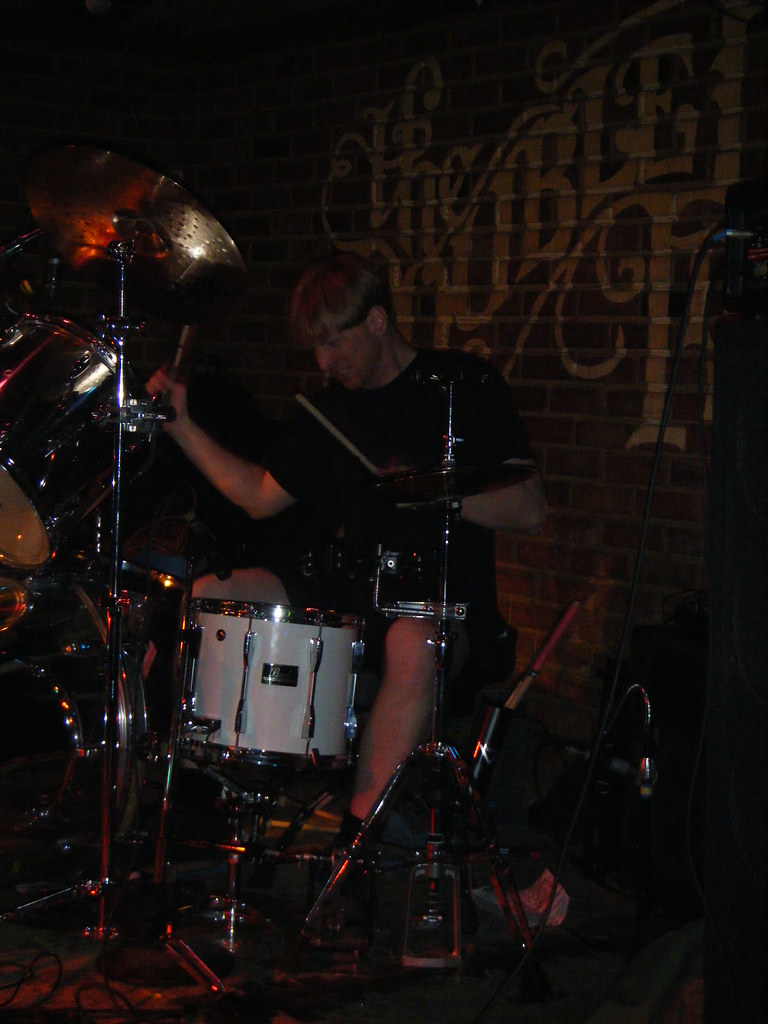
At the double Door
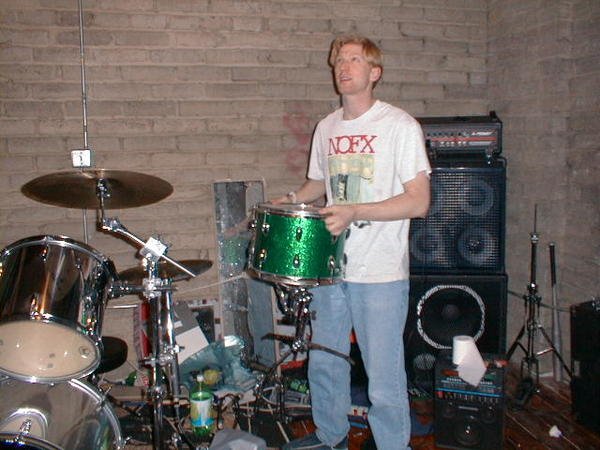
god i love this snare drum.
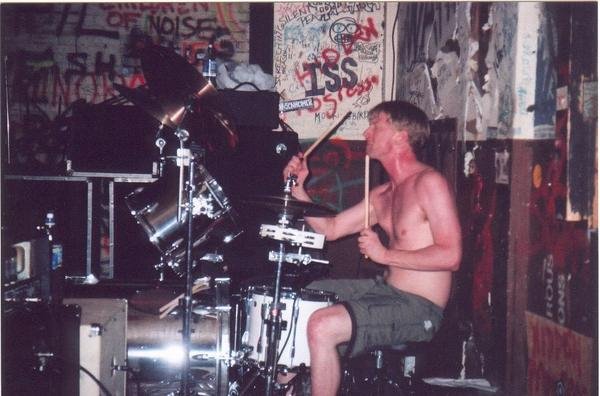
at the milestone
Linux, Drums and Penni

Friends of the show.
Penni, with Friend and wedding ring
lmms -open source non-pirated studio apps for all mankind
just trying to hold it together
Terrible old Forgotzi songs (learned to play drums to these)
01d 50nGz i p1ayed Drums 0n
FAQ
Why do you type up all this crap?
So I can remember what I did with my Life.
Do you do this from work.
No. I usually do it late at night or while my wife has the tv remote.
Who reads this crap?
My Wife, Family, Friends, band people, Co-workers, Old ClockCrew members, Linux forum and Blender forums people.
Do you use post on myspace, facebook, twitter, friendster, identi.ca or moblog?
no, yes, yes, no, yes, and yes.
So I can remember what I did with my Life.
Do you do this from work.
No. I usually do it late at night or while my wife has the tv remote.
Who reads this crap?
My Wife, Family, Friends, band people, Co-workers, Old ClockCrew members, Linux forum and Blender forums people.
Do you use post on myspace, facebook, twitter, friendster, identi.ca or moblog?
no, yes, yes, no, yes, and yes.
Gameplan for conquering the BlenderNewbies.org DVD tutorials.
*-add note and finished dates.UI Navigation - 4/18/2009
Zoom for laptops = MMB + CtrlThe Power of Blender Screens - 4/18/2009
Maximize split screen = Ctrl+Up/Bottom Arrow.
ctrl left/right = jump to layouts model,Animation, Model etc.. this will be useful to create layout for front, top, side, and camera views.Navigating the Buttons Window - 4/18/2009
Button Panels can be maximized with ctrl+up.Super Time-Saving Tips (Part 1) - 4/18/2009
Button Panels tabs can be stacked by LMB dragging and dropping them on top of each other.
RMB Click on the button panels to allign them vertically or horizontally.
Ctrl+L = link vertices (like you have a two spheres joined, just select a point on one sphere and Ctrl+L to select all whole sphere.Pivot Power (Controlling the Scaling and Rotation Pivot) - 4/18/2009
W key obj mode = boolean
edit mode = specials menu (common commands)
MMB = hold the MMB to constrain function like move, scale and rotate to X,Y, and Z axis
Mesh Tool Panel Centre Button = in edit mode it centers the off origin obj to the center point.
select swap button = inversed selected point vertices on an object.
hide and reveal selected faces with hide and reveal buttoms on mesh tools1 panel. (or HKey and Alt+HKey
Use Mesh Tools1 panel Button: Edge Length, Edge Angles and Face Area to show dimensions of line, angles and Area, (autocad style :D)
ctrl 1,2,3,4 = quickly change the subsurf modifier (awesome!)
select > random (random vertices!)
Alt+B to display only a part of the box selected object ( for quick screen fresh with complete objects.
Ctrl+C/Ctrl+V work for copying and pasting panel values (colors, text and numbers)
The Tab Key works in text and number entry fields
Ctrl+C works to copy attributes like size and rotation, select the obj to edit first, then the obj with the desired properties.
the pivot button and "..." button can be used to rotate other object's center points around a selected object's center point. This would be useful in have objects "dance" in unison.
The 3D cursor location is set with the LMB Click.
The MKey in object mode displays the layers control. ( ie: Select a cube, press M, select layer 2.
O key = proportional select for laptop (???) research it
Moving, Rotating, and Scaling without Keystrokes - 4/18/2009
LMB draw straight line for MOVEBlender's Built-in HotKey and MouseAction Reference - 4/18/2009
LMB draw a curve to ROTATE
LMB draw a sharp V to SCALE
It work on 2D Lines and curvers too.
under Help > HotKey and MouseAction Reference,
includes a search function.
Pimp your Blender - 4/18/2009
You can change the color of the dev lighting and change the color 3d space you model in.Camera Panel, Scaling the Camera, Multiple Cameras - 4/19/2009
lens = zoom3D Ring Band - 4/19/2009
clipping = where the camera view starts and end
name = toggles display of name of camera
passepartout = blacks out the area arround the camera view.
ctrl numpad zero = look through the selected camera (for laptop ???)
Ctrl N = used to flip normals, fixed smoothing/render errors.Text in Blender Curves Editing Curves Oversampling (aka OSA or Anti-aliasing) - 4/19/09
you can split you screen and pipe the render result tto teh image editor screen with Screen panel > save buffer > image editorCutting a Hole in Your Mesh - 4/20/09
use Render panel > Render tab > fields > Mitch for sharp renders
Edit mode: Wkey subdivide mesh
delete a vertex: Xkey, select rim, shift+S for cursor to selection, Mesh Tools tab, ToSphere Button. extrude, then Control+R for ring select, Shift+E for Crease tool
Quick and Easy 360-degree Turntable Camera Setup - 4/20/09
Shift click layer control to enable layerShowcase your 3D Models with a Basic Studio-styled Setup
Parent camera to a rectangle, that is centered on the target. set the camera to track the object with Control+T.
add plane obj under target to show shadows.
basic render settings:
Lamp button> Shadows and spots > Adaptive QMC
World button > Blend > blue and white gradient
World button > Amb Occ > approximate (better softer shadows) (missing in menu ???)
select plain > materials > Only shadow
Rendering Solid Wireframes (5/2/2009)
Shift key = fine moviements
Shift D for Dup,
Use zoffs value to offset visible wireframe material obj from solid material obj
Tweak the alpha setting of the wireframe obj to control the line thickness.
Materials: spec low, Hard low and Emit high for bright objects.
How to Animate a Cylinder along a Curve (5/17/2009)
Create a bezier curver and a bezier circle.
Rename the bezier circle to "cc" and then type in "cc" curve's BevObj field.
Enable the 3b button on the curve and surface panel to move the curve in 3d space.
DefResolU = high values for smoothness
select a endpoint and Alt+S to fatten a end of a tube.
Convert to mesh = Alt+C
user setsmooth and add a subsurf modifier for
faster objects
create a bezcurve and increase Bevel depth and BezResol
Using Your Mouse for 3D Animation (series) (5/17/2009)
Inthe IPO window, press Control+R key to record mouse movements.
Hold the ControlKey to do the actual recording.
Press the HomeKey to center the IPO curve.
you may use this technique on a camera object to emulate a shaky hand held camera.
Creating a Text Outline Effect in Blender (skip!)
Modeling the Blender 3D Logo (5/18/09)
load the background image with >>view menu >> background image>> browse to image
center with x and y offset, blend = alpha
add bez circle, press the Zkey to jump to wire frame mode,
Hold the shift key for finer translation movements
Select to points on the bez circle and press the Wkey subdivide the section. repeat sub division to make the weird blender logo spikes.
While selecting the verts press the V key to create sharp end points for straight lines
you may use the N key to inter values for point locations
add color
press the B Key press x2 for paint select mode and select inner circle,
press the Pkey to separate.
use the color sampling to add color to the inner and outer part of the logo.
curve tab > extrude to add thickness
curve tab > bevel depth to add bevel
curve tab > BevResol depth to add bevel
add text, type blender, browser to
Alt+C to convert font to curve.
Uniform Distribution of Objects along a Path (5/25/09)
"example trees on a path"The Lattice Modifier Lattice Animation The Mesh Deform Modifier, Using a Lattice to Redesign your 3D Model (5/27/09)
in object mode, select tree and then shift select the path, click Control+P. select the Path, in the curves and surfaces tab we disable the Follow Curve button,
in obj mode, select the object button and in the anim tab select DupliFrame, that creates 1 copy per "edit button > curves and surfaces > pathlength
set anim > dup end to the max number of objects so the extras don't stack up at the end of the curve.
make the duplicate of the path real by selecting: object menu > Clear/Apply > make duplicates real
1) insert a lattice arround you obj.Video Titling Techniques #1 (The Basics) 06/13/09
2) select the obj and lattice then use Control+P and select Deform Lattace.
3) subdivide the lattice with Edit Button > lattice tab > U:3, V:3 and W:3.
4) Tab into Edit Mode and grab/move the vects to warp the object.
part 1: create workspace
add camera on the Y axis
edit button > camera tab > Othrographic = on and passepartout = half dark
add plane in camera view and resize it to viewing area of the camera, the plain is used at a title story board. extrude a corner as a handle
name the storie board in the "links and Materials" tab, named it "titling board"
sent the material for the board to invisible by setting material tab > Env = off.
verify that the lamp is on the correct side of the plane
set world background to black
Rename the screen from SR:2-Model to SR-VidSeq1
set it up like this:
--------------------------------------------
Vid Seq Editor. |. . . . . . . . |
--------------------------| 3D view |
TimeLine . . . . |. . . . . . . |
--------------------------------------------
buttons Window. . . . . . . . |
-------------------------------------------
and set another called SR-VidSeq2
---------------------------------------------------------
Vid Seq Editor |VidSeq>ImgPview |
------------------------| ----------------------------- |
. . . . TimeLine | . . . . . . . . 3D view |
---------------------------------------------------------
buttons Window. . . . . . . . . . . . . . . |
---------------------------------------------------------
Use controlKey + LeftArrow or RightArrow to switch between these views.
add video clip with vidSeq > Add > Movie. select an .avi file
add the scene vidSeq > Add > Scene. click in the window to 'root' the scene there.
See bgryderclock blendernation forum post for details
spacebar > add > text
switch to edit mode to edit the text
name the text material white and enable Ztransp to made the text transparent-able.
enable Shadeless
On the shader Tab:
set hardness and spec to 0
set Emit to max
make sure the text is between the screen and camers (duh!)
use control+P to parent the text to the board
Select all the materials and use Cntrl+L to link materials
select the movie clips then the scene (together) and select > Add > Effect > Alpha Over to make generate combined track.
In the render menu enable "Do Sequence" to preview the combined track
Part 2: Animate the titles
open an IPO curve window.
select the board, set a loc keyframe on the first frame
move the board up and set new loc keys to animate the move.
select the curve and then select curve > interpolate > linear to make the changes "fast" / linear
use the K key (Key Mode) in the IPO window hi-light the verticle keyframe marker and slide them.
animate the material alpha
go to another window and switch to the "IPO-Material" view to animate the material alpha.
Select the push-pin icon on the IPO window to keep the window static
go to the first frame change the alpha value of the text and press the "i" key to insert a Alpha key.
go to insert another frame, change the transparency and insert key with the "i" key... and repeat!
How to Create Glint Effects in Blender (06/16/09)
Create a plain and delete all point but one.
move to center by key N
Apply white material
set Hard = half
set Add = low
shader hardness = max
enable Lines or Star
Enable Halo button
Set Halo = 3
Using the node editor for compositing / layering
have your objects on different layer.
to move an object to a layer select it then press the M key, select a layer then click OK.
Set up multiple mats for different glint "angles"
set up render layers by
scene render layers tab > name and then select a layer
"cymbal" and "glint"
the lights have to be of the enable of a different layer or on the same layer as you objects.
switch to Nodes screen. select the composite nodes button and then select use Nodes
use Shift+D to create a duplicate of the render layer
use the spacebar to insert: Add > color > alpha over
connect the layer to the compositor in the order of bottom layer first, top layer last.
select do compositing to show you changes.
go to the sequencer window
add your scene and then add a effect layer of glow to tweak glint.
Christmas Gift Boxes and Bow (06/19/09)
use cubes with rounded edged. cut them with loop selections and scale them into boxes and box tops.
create and crop a ban in to a ribbon loops and copy them in to a bow. add a inner sphere to make it look solid.
Gen3 Tree-Making Tool (06/20/09)
source file = http://www.geocities.com/bgen3/
the zip files include gen3.py and gt folder...
1. Open your blender directory --->.blender--->scripts
- copy the gen3.py script inside the script directory
- gt folder goes to bpymodules folder inside the script directory
then update your scripts...
the script appears under script > misc > Gen3
just use the presets for good looking trees!
Oven-Baked Pretzels series
Part 1 - create a draft enviorment
use a picture of the prentzel as a background / reference image for colors, lighting, and textures
build a box and a ramp in right side view. if you use the B key for box selection both point of the line will be selected
Tip: go to camera mode, select the camera border, press G Key, then Z key twice, and move the mouse to zoom the "dolly" in and out.
Tip: use the the group of buttons on the 3D panel (with the pointing hand) to enable a 3D scale, move, rotate tool
Part 2 - basic 3D pretzel mesh
add a bezier curve of layer 2vand a bezier circle on layer 2
rename the circle to "cc"
in the object props for the curve, enable the 3D button and type "cc" bev obj field, now the line is a tube.
IMPORTANT: make sure you have 3D button enabled, else there will me issues editing the "pretzel twist" verts.
extrude the tube with the e key, select all verts and press Shift+H to automatically rotate vert to smooth out the tube,repeat to create the pretzel shape.
select a vert and use Alt+S to fatten parts of the pretzel.
in object mode use Alt+C to convert the fancy curve to a mesh.
use set smooth to smooth the faces.
Part 3 - sculpt and details.
from object mode select Sculpt mode
press the N key to show the properties mode
use Ctrl+tab to select the sculptig brush type,
and use Shift+F to adjust the tool strength.
and just the F key to adjust the tool size
Set all the brush buttons in the Sculpt properties to "Airbrush"
Use Ctrl+tab to switch from grap and smooth mode to change the mesh shape.
Use shift+(the tool) to reverse the tool's effect.
hint: To move the camera around in the camera view select the camera border and press the G-key and drag the camera around.
apply a rough material color
Part 4
press ctrl+NUMPAD7 for bottom view
switch to edit mode to see the mesh verts
Flatten the bottom of the pretzel, use the paint select (B-key twice)
Tip: use the proportional editing to tweak shapes.
Time For Textures!
select the texture button
Add new > named "base bread bump" > texture type "stucci" > set noise and turbulance to a "concrete block" setting.
under the materials button, on the "Map input" tab set the sizeX and sizeY = 2
Map to: enable only the "Nor" button,
Hint: set up a small corner window with just the Preview sphere view.
under the world buttons, Amb Ccc tab, enable Ambient Occlusion. (this slows the test render)
Create a new texture called "mild cracking" > texture type: Musgrave > Noise Bias = V Crackle" > tweak the setting to "cracked dried Mud"
Create a create texture called "bubbling" > texture type = clouds > tweak the setting to "sponge mold"
under the materials button, on the "Map input" tab set the sizeX and sizeY = 3
preview and tweak
Time For Vertex Painting!
go to a top view and switch to Vertex painting mode. then go to the editing button > paint Tab. set the color to the lightest dough color. repeat with darker colors
select the obj and go to the Materials tab and enable the
"Vcol Pain" to show painting in render
under the scene button go to the render tab and set anialating to "mitch".
Time to texture the conveyor!
move the test pretzels to layer 11
Modeling Timelapse of a Bowden Bicycle Frame
Old Country Pathway series (unfinished - project is still open)
us...
Dream Drum Set Project
Project Desc:
Building the perfect large shell nested drum set.
To Do List:
Test bass drum case sizes with car door opening sizes to Verify 26" shells will work, ( used a cut up hula hoop to check car door sized, a 26 will work, but a 26 is tool similar to my old 24, so we will make a 28x24!
Compile parts list and prices.
Finalize shell Colors ( probably chome)
Email vendor to finalize quotes.
Distribute lists to family as gift ideas.
Check Parts.
Ask off to lacquer shell/ paint parts
Items/Prices:
$68.00 - 1 28 x 6 soft drum bag. - http://www.finecases.com/browse/gigbags/percussion/tom-tom-bags.html?powerSort=6%20x%2028%20Tom%20Bags
$96.00 - 28x16 bag -
http://www.finecases.com/browse/tuxedo/tuxedo-4464.html
$191.00 - Bass shell - 28 x 24" 10ply - from Precisiondrums.com
$52.00 - - bass bearing edges
$200.00 splitting labor -
Bass drum lugs 4 x 20 80.00
Here are prices from precision drum:
24x28 10 ply shell - $191
Bearing edges - $52
Cut and split/latch feature installed - $175
Chrome wrap installed - $310 or DIY $170
Estimated s&h - $115
Total - $843 or 703 DIY or just $533 sans wrap
Building the perfect large shell nested drum set.
To Do List:
Test bass drum case sizes with car door opening sizes to Verify 26" shells will work, ( used a cut up hula hoop to check car door sized, a 26 will work, but a 26 is tool similar to my old 24, so we will make a 28x24!
Compile parts list and prices.
Finalize shell Colors ( probably chome)
Email vendor to finalize quotes.
Distribute lists to family as gift ideas.
Check Parts.
Ask off to lacquer shell/ paint parts
Items/Prices:
$68.00 - 1 28 x 6 soft drum bag. - http://www.finecases.com/browse/gigbags/percussion/tom-tom-bags.html?powerSort=6%20x%2028%20Tom%20Bags
$96.00 - 28x16 bag -
http://www.finecases.com/browse/tuxedo/tuxedo-4464.html
$191.00 - Bass shell - 28 x 24" 10ply - from Precisiondrums.com
$52.00 - - bass bearing edges
$200.00 splitting labor -
Bass drum lugs 4 x 20 80.00
Here are prices from precision drum:
24x28 10 ply shell - $191
Bearing edges - $52
Cut and split/latch feature installed - $175
Chrome wrap installed - $310 or DIY $170
Estimated s&h - $115
Total - $843 or 703 DIY or just $533 sans wrap
At the double Door
god i love this snare drum.
at the milestone
1 comment:
Any reason why this post is blank? :)
___
International calls
Post a Comment